
Creating short videos often feels like racing against time. You record, trim, fix, and repeat until the story flows right. But now, editing doesn’t have to steal your focus or energy. Wondershare Filmora V15 changes this with its zero-edit workflow that builds clips almost on its own.
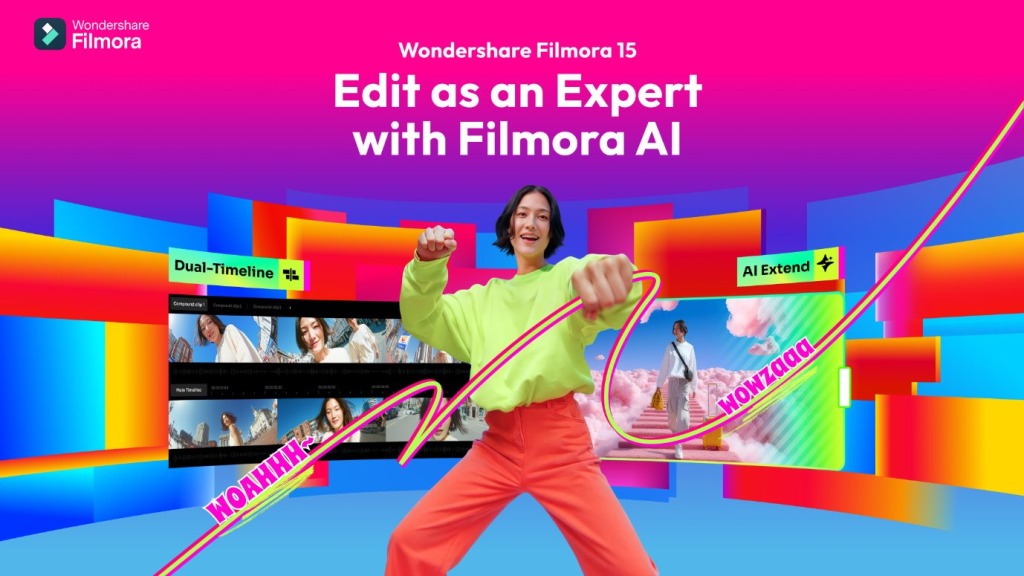
It does more than trim clips—it interprets your story and shapes it naturally. Each frame connects smoothly, keeping the tone steady and transitions clear throughout. Whether crafting reels, ads, or reviews, Filmora builds smooth stories. Every edit feels precise, rhythmic, and designed for easy video making.
Problem – The Pressure of Daily Posting
Making short videos every day feels like running without rest. You shoot, cut, and post again before new ideas even start. Editing eats time and steals energy from your creative story flow. Filmora V15 breaks that cycle with its new minimal-edit setup. This update helps you post faster without losing your creative style.
What Zero-Edit Workflow Really Does
Zero-Edit Workflow removes the heavy steps between filming and sharing. You focus on story and rhythm while Filmora handles the technical work. It arranges clips, sets timing, and matches audio automatically in seconds. Light, sound, and transitions stay balanced without manual control or extra tools.
Workflow – Captions + Voice Clone + TTS
Filmora’s Zero-Edit Workflow includes 3 strong AI tools built for creators. They are Auto Captions, Voice Clone, and Text-to-Speech (TTS). Each tool replaces a slow editing step with an automatic creative action. Together, they form a fast, simple, and flexible short-form creation system.
- Auto Captions – Write Text While You Talk
Typing words for captions breaks the flow and wastes your time. Auto Captions listens, writes, and times text to match your speech. It catches pauses, tone, and rhythm for natural reading on screen. You can change font or color without retyping a single word.
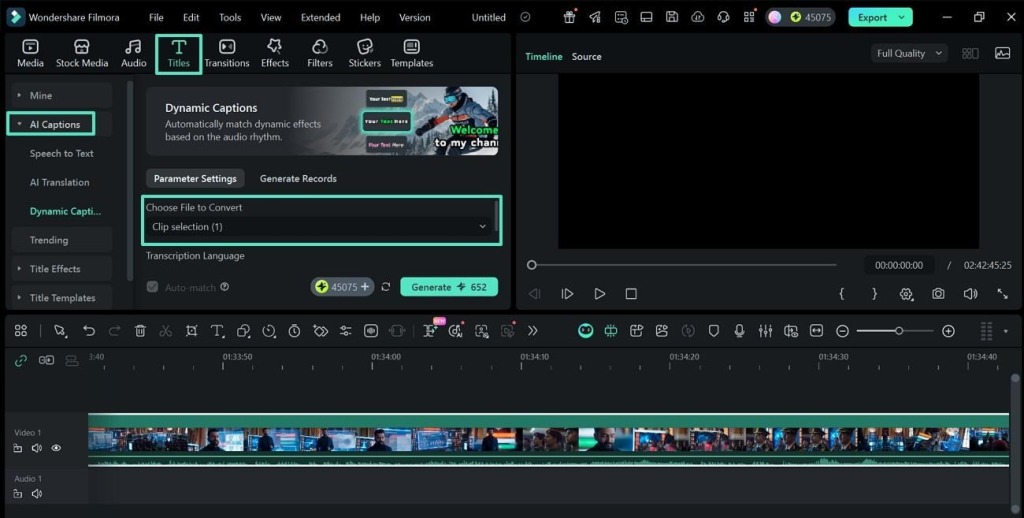
This feature works great for social clips, reels, and online lessons. Filmora saves you hours while keeping words neat and on beat. You just speak; Filmora handles the text and timing for you.
- Voice Clone – Keep Your Own Sound
Re-recording missed lines wastes both focus and time. Voice Clone learns your tone and recreates your voice when needed. You record once, and Filmora copies your sound style perfectly. Then you type new words, and it speaks them in your voice.
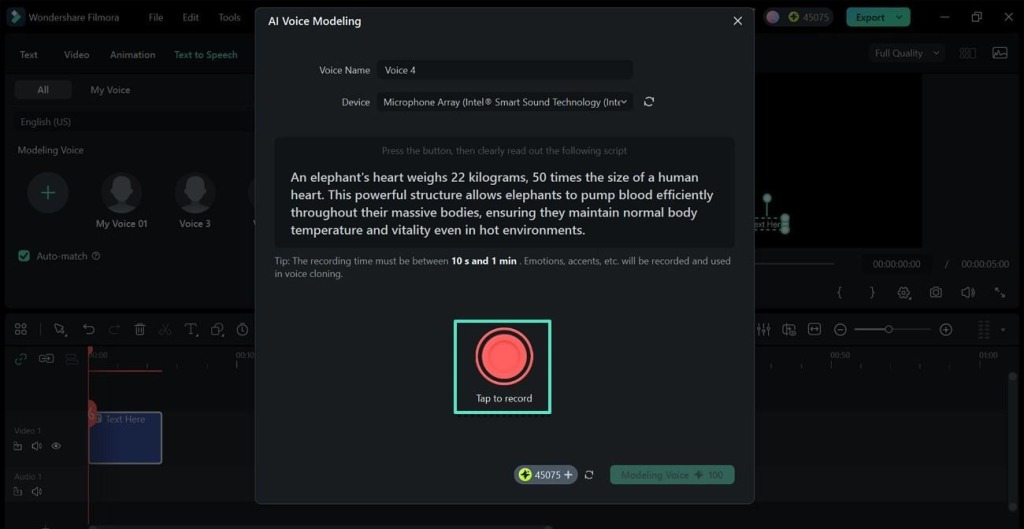
This feature eliminates re-recording, maintains a steady tone, and improves daily workflow speed. Creators sound real even when tired, sick, or traveling between shoots. Each clip stays consistent and sounds smooth across all your uploads.
- Text-to-Speech – Turn Scripts into Voices
Some creators prefer writing instead of talking while recording short videos. Text-to-Speech turns typed text into voices that sound clear and real. You pick voices, tones, or styles from the library to fit the story’s emotion well. It’s great for guides, reviews, and tutorials made on tight schedules.
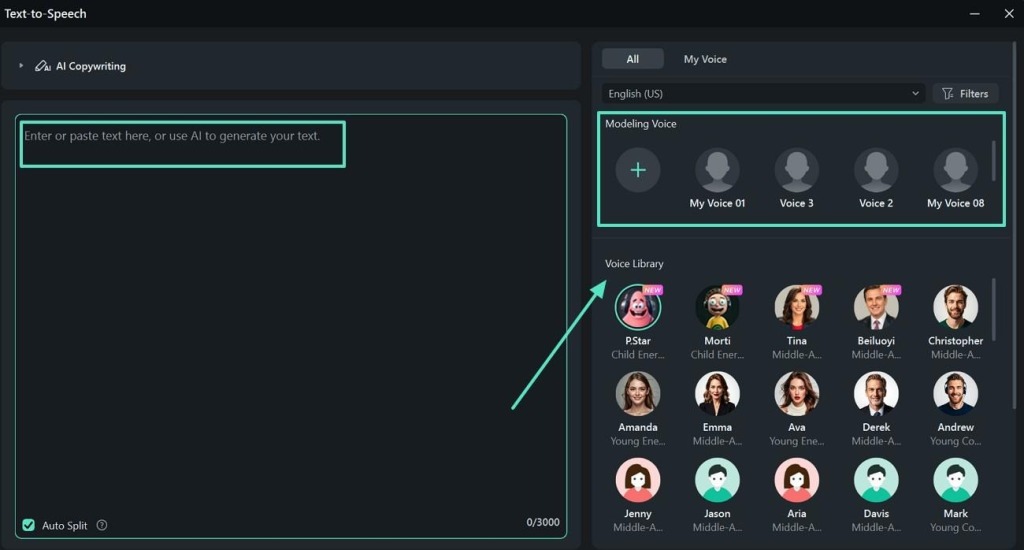
You can generate audio anywhere, without a mic or a studio. The tool makes speech flow naturally, fitting each scene and moment. Pair it with background music, and it sounds smooth and complete. Filmora’s TTS gives words life fast, without needing extra gear setup.
Scenario – Daily Creator Production Loop
Every creator knows the rush of making new videos every single day. You shoot, trim, and fix clips until your energy starts to fade. Filmora V15 breaks that tiring cycle with a smooth, zero-edit process. It keeps every task simple, fast, and ready for instant sharing anywhere. Here’s how Filmora fits into a creator’s daily production loop:
- Record: Capture clips on your phone or camera in natural lighting.
- Import: Drop your footage into Filmora; AI starts analyzing each frame.
- Edit: Tools like AI Portrait Cutout, Auto Captions, and Voice Clone activate together.
- Refine: The system balances tone, lighting, and motion across every short scene.
- Preview: Watch the story unfold with perfect flow and synced visual rhythm.
- Publish: Export, share, and post directly to your social platforms in seconds.
End – AI Turns “No-Edit” Videos Into Polished Content
AI in Filmora V15 turns “no-edit” clips into clean, finished stories. It reads motion, tone, and rhythm to polish every scene smoothly. What once needed hours now takes minutes with zero effort. For creators who post daily, Filmora V15 is the wise choice to keep content professional, consistent, and ready for every platform.
About Wondershare:
Wondershare is a globally recognized software company founded in 2003, known for its innovative solutions in creativity and productivity. Driven by the mission “Creativity Simplified”, Wondershare offers a range of tools, including Filmora and SelfyzAI for video editing; PDFelement for document management; and EdrawMax, EdrawMind for diagramming. With over 2 billion cumulative active users across all products and a presence in over 200 countries and regions, Wondershare empowers the next generation of creators with intuitive software and trendy creative resources, continually expanding the possibilities of creativity worldwide.