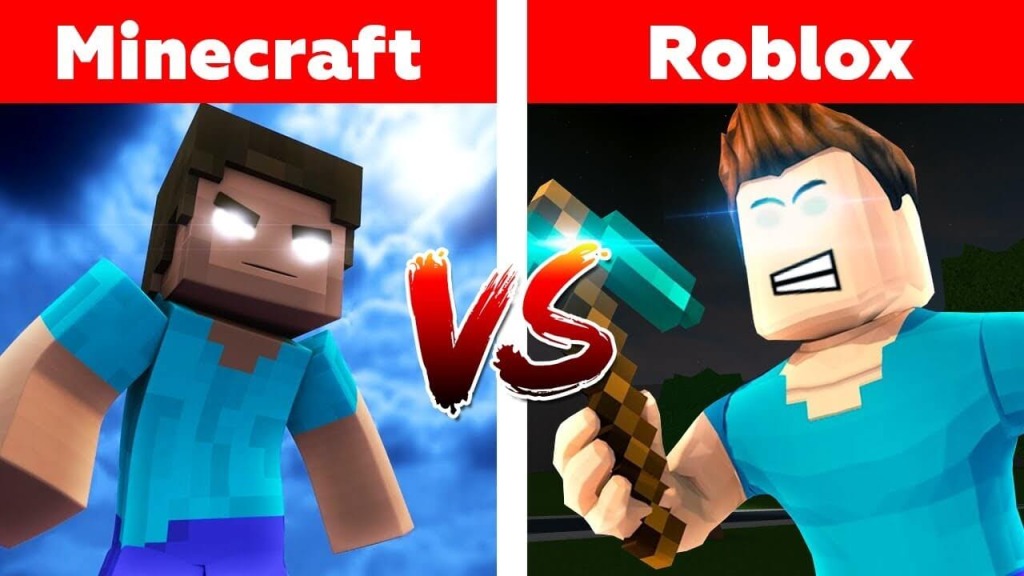
The conversation around roblox vs minecraft has been ongoing for over a decade, and for good reason: both platforms dominate the creative gaming world but serve fundamentally different experiences. Roblox functions as a platform filled with user-created games and worlds, while Minecraft is a sandbox environment focused on building, exploration, and player-driven creativity.
This guide delivers a detailed, 3,000-word breakdown of Roblox and Minecraft from technical, creative, educational, and community standpoints. You’ll find a full comparison for players, parents, creators, educators, and anyone trying to decide which platform offers the best value.
What Makes Roblox and Minecraft So Popular?
The Appeal of Roblox
Roblox’s popularity is rooted in its identity as a platform rather than a single game. Millions of experiences live inside the Roblox ecosystem — from obstacle courses and tycoon simulators to social hangouts and competitive minigames.
Key reasons for Roblox’s success include:
- Unlimited creative possibilities
- A built-in audience of millions
- Easy onboarding for new developers with Roblox Studio
- An embedded creator economy with real earning potential
- A strong social component with chat, friends, and multiplayer features
The Appeal of Minecraft
Minecraft remains one of the most iconic sandbox games of all time. Whether players prefer survival mode, creative worldbuilding, or exploring infinite landscapes, the game offers a timeless experience.
Why players love Minecraft:
- A limitless open world
- Deep crafting and survival mechanics
- Modding and customization possibilities
- Cross-platform play on many devices
- Strong educational uses and STEM applications
Core Differences Between Roblox and Minecraft
Ease of Access
- Roblox is generally easier to jump into, especially on mobile devices. Experiences load quickly and require minimal hardware.
- Minecraft requires an upfront purchase (except trial versions), and gameplay is often deeper and more involved than Roblox’s quick sessions.
Depth of Gameplay
- Roblox offers countless types of games, each built by different creators, ranging from simple minigames to complex simulators.
- Minecraft focuses on a unified sandbox experience with deep crafting systems, survival mechanics, and open-ended creativity.
Age Demographics
- Roblox historically attracts a younger audience, although the platform has increasingly targeted older players.
- Minecraft draws a broad audience, from children to adults, partly due to its survival depth and extensive modding community.
Technical Comparison: roblox vs minecraft
Game Engines and Performance
Roblox Engine
Roblox uses its own proprietary engine designed for user-generated content. The engine prioritizes:
- Low hardware requirements
- Smooth performance across mobile and lightweight devices
- Server-based multiplayer experiences hosted through Roblox
Minecraft Engine (Java and Bedrock)
Minecraft operates on two main versions:
- Java Edition uses the Java programming language and is highly moddable. It can be demanding on lower-end PCs.
- Bedrock Edition is written in C++ and optimized for cross-platform play across mobile, PC, and consoles.
Graphics & Visual Style
Roblox Visuals
Roblox uses a wide range of graphical styles because creators control how their experiences look. The graphics can be:
- Blocky
- Realistic
- Cartoon-like
- Physics-driven
The quality varies widely since each experience is created by different developers.
Minecraft Visuals
Minecraft retains its iconic pixelated block aesthetic. While simple, it is instantly recognizable worldwide. With shaders, resource packs, and mods, Minecraft can become visually stunning while maintaining its core identity.
Creation Tools Breakdown
Roblox Studio
Roblox Studio is a full development environment enabling creators to build games using:
- Drag-and-drop tools
- Terrain builders
- Lua-based scripting with Luau
- Animation editors
- UI/UX tools
- Physics systems
- Asset uploading (meshes, sound, textures)
Creators can publish directly to the Roblox platform and share their experiences instantly.
Minecraft Modding & Building Tools
For Java Edition
- Modding frameworks such as Forge and Fabric allow developers to rewrite or expand core mechanics.
- Tools like WorldEdit and MCEdit help builders construct large structures efficiently.
- Resource packs change textures, sounds, and models.
For Bedrock Edition
- Behavior packs and add-ons adjust entity behavior and world logic.
- Marketplace tools allow creators to publish and monetize curated content.
- Cross-platform support makes it easy to share creations across devices.
Gameplay Experience: roblox vs minecraft
Variety and Type of Content
Roblox Experiences
Roblox contains millions of player-made experiences, including:
- Roleplay servers
- Obstacle courses (Obbies)
- Adventure games
- Racing games
- Story-driven experiences
- Social hangouts
- PvP arenas
- Tycoon and simulator games
Every experience offers new mechanics, themes, and styles.
Minecraft Gameplay Types
Minecraft’s primary game modes include:
- Survival Mode: Gather resources, fight mobs, and maintain health.
- Creative Mode: Unlimited resources, free building, flight, and no danger.
- Adventure Mode: Used for custom maps and puzzle sequences.
- Spectator Mode: Fly through blocks and explore without affecting the world.
Minecraft also supports:
- Redstone engineering
- Farming, mining, and trading
- Massive multiplayer servers with custom minigames
- Exploration of villages, temples, caves, and dimensions
Monetization: Roblox vs Minecraft
Earning Money on Roblox
Roblox has a well-developed creator economy where developers can earn through:
- Game passes
- In-game items and cosmetics
- Developer products
- Private servers
- Tradeable limited items
- Premium payouts based on player engagement
Developers convert earned Robux into real money through the platform’s exchange program.
Earning Money on Minecraft
Minecraft monetization varies by edition:
- Java Edition: Independent server owners may sell cosmetic items or accept donations (within rules).
- Bedrock Edition: Creators can sell skins, maps, and resource packs through the official marketplace.
- Add-on packs: Some creators earn revenue from structured add-ons and worlds.
Unlike Roblox, monetization is not centralized, which can be an advantage for independent creators.
Parental Controls, Moderation, and Safety
Roblox Parental Controls
Roblox offers:
- Chat filters
- Account restrictions for under-13 users
- Monthly spending controls
- Settings to limit who can message or join games
- A classification system that labels experience content types
Roblox invests heavily in moderation, but because experiences vary so widely, supervision is still recommended.
Minecraft Parental Controls
Minecraft’s safety depends heavily on how and where it’s played:
- Single-player worlds are safe and fully offline.
- Realms provide secure, invite-only servers.
- Public servers vary widely, so moderation levels differ.
- Console and mobile versions often include built-in parental settings for privacy and communication.
Community and Social Features
Social Interaction on Roblox
Roblox integrates:
- Friends lists
- Chat systems
- Voice chat (for verified users)
- Party and group systems
- Events and in-platform concerts
- Gifting and trading systems
Since Roblox experiences are built around social interaction, the community aspect is one of its strengths.
Social Interaction in Minecraft
Minecraft’s social environment is more decentralized:
- Community varies by server
- Private Realms offer curated small-group play
- Large servers host thousands of players with custom minigames
- Voice and text chat depend on third-party tools (Java edition)
- World sharing is common among friends and classrooms
Educational Use Cases
Roblox in Education
Roblox helps teach:
- Scripting (Luau)
- 3D design
- Game development fundamentals
- Entrepreneurship through game monetization
- Collaboration and project planning
Many teachers use Roblox for creative development assignments and virtual classroom activities.
Minecraft in Education
Minecraft: Education Edition is widely used in schools to teach:
- Coding with block-based or Python tools
- Math and geometry
- Teamwork and communication
- Environmental science
- History and cultural exploration
- Design thinking
Minecraft’s simplicity, predictability, and creativity make it ideal for classroom use.
Comparing Core Features: Roblox vs Minecraft
Feature Comparison Table
| Feature | Roblox | Minecraft |
|---|---|---|
| Type | Platform with user-created games | Sandbox game |
| Visual Style | Varies per experience | Block-based pixel aesthetic |
| Main Creation Tool | Roblox Studio | World building, mods, add-ons |
| Programming | Luau (Lua-based) | Java (modding), C++, JSON (Bedrock) |
| Monetization | Extensive built-in economy | Marketplace, servers, community-driven |
| Multiplayer | Integrated across all experiences | Server-based, Realms, peer-based |
| Platforms | PC, Mobile, Xbox, more | PC, Mobile, Consoles, Switch |
| Target Audience | Broad, heavy on younger players | Broad, all ages |
| Cost | Free with optional purchases | One-time purchase + optional add-ons |
Creator Experience Comparison
Roblox Creator Experience
- Fast iteration cycle
- Publish instantly to millions of potential players
- Built-in analytics and engagement metrics
- Easy to monetize and scale
Minecraft Creator Experience
- Deep control via mods or add-ons
- Java modding offers near unlimited customization
- Map makers have full creative power
- Marketplace creators can earn high-value sales
Long-Term Player Engagement
Why Players Stick With Roblox
- Constant flow of new experiences
- Platform evolves rapidly
- Social and accessible
- Huge community creativity
Why Players Stay With Minecraft
- Endless sandbox worlds
- Complex Redstone engineering
- Server communities last years
- Modding refreshes gameplay infinitely
Which Is Better for Different Audiences?
Best for Young Children
- Roblox for simple minigames and social play
- Minecraft for deeper but safe creative play in private worlds
Best for Creative Builders
- Minecraft due to world-building freedom and Redstone mechanics
Best for Aspiring Developers
- Roblox because of scripting and immediate publishing options
Best for Educators
- Minecraft, thanks to its dedicated Education Edition and curriculum resources
Best for Long-Term Replayability
- Tie:
- Roblox offers variety
- Minecraft offers depth
Advanced Comparison: Roblox vs Minecraft for Developers
Scripting and Coding
- Roblox uses Luau, easier for beginners but powerful enough for advanced gameplay.
- Minecraft modding requires Java (for Java Edition) or knowledge of behavior pack JSON files (Bedrock Edition).
Asset Creation
- Roblox supports custom meshes, textures, animations, and GUIs.
- Minecraft uses textures, shaders, 3D models (in Java), and add-on packs.
Server Hosting
- Roblox hosts all multiplayer experiences automatically.
- Minecraft requires:
- Self-hosting
- Renting a server
- Using Realms for simple multiplayer
Update Frequency
- Roblox updates continuously across the platform.
- Minecraft releases fewer but larger game updates.
Pros and Cons of Roblox vs Minecraft
Roblox Pros
- Free to play
- Massive library of games
- Powerful development tools
- Built-in monetization
- Strong social features
Roblox Cons
- Quality of games varies widely
- Younger audience requires active moderation
- Some experiences may contain ads or microtransactions
Minecraft Pros
- Deep sandbox gameplay
- Highly moddable
- Suitable for all ages
- Educational potential
- Strong single-player and multiplayer options
Minecraft Cons
- Requires purchase
- Java Edition can be resource-intensive
- Modding requires technical learning
Final Verdict: Roblox vs Minecraft — Which Should You Choose?
Both Roblox and Minecraft excel in different areas, so the best choice depends on your goals:
- Choose Roblox if you want fast-paced social gaming, an endless variety of experiences, or accessible game development tools.
- Choose Minecraft if you prefer a deep sandbox world, building massive structures, modding the game, or enhancing learning environments.
For many families and players, the answer to roblox vs minecraft isn’t one or the other — it’s both. Each platform provides unique ways to play, create, learn, and connect with others.